Getting Started with Cricut: A Beginner's Guide to Crafting Magic
- Katie Berger
- Aug 29, 2024
- 5 min read

Crafting is a magical world where creativity knows no bounds, and with the right tools, you can bring your most imaginative ideas to life. Enter Cricut—a crafter's best friend and a game-changer in the world of DIY projects. Whether you're looking to personalize gifts, decorate your home, or start a small business, Cricut has the potential to turn your ideas into reality. If you're new to Cricut and wondering where to begin, this guide is here to walk you through the basics and get you crafting in no time.

What is Cricut?
Before diving into the nitty-gritty, let's start with the basics. A Cricut is a cutting machine that can cut a wide variety of materials like paper, vinyl, fabric, and even wood. It’s like a printer, but instead of printing designs, it cuts them out with incredible precision. The Cricut machine connects to your computer or mobile device, allowing you to create or download designs and send them directly to the machine for cutting.
Choosing the Right Cricut Machine
There are a few different Cricut models available, each catering to different crafting needs. Here’s a quick overview of the most popular models:
Cricut Joy: Perfect for quick, everyday projects. It’s compact, easy to use, and great for simple designs.
Cricut Explore Air 2: A versatile machine suitable for a wide range of projects, including paper crafts, vinyl decals, and heat transfer designs.
Cricut Maker: The ultimate crafting machine. It can handle a wide range of materials, including fabric and leather, making it ideal for more advanced projects.
If you’re just starting, the Cricut Explore Air 2 offers a great balance of functionality and affordability. It’s versatile enough to grow with your crafting skills, yet user-friendly for beginners.
Essential Supplies and Tools
To start crafting with your Cricut, you'll need more than just the machine. Here’s a list of essential supplies and tools to help you get started:
Cricut Design Space: This is Cricut’s free software where you create and customize your designs. It’s user-friendly and offers a wide variety of templates, fonts, and images.
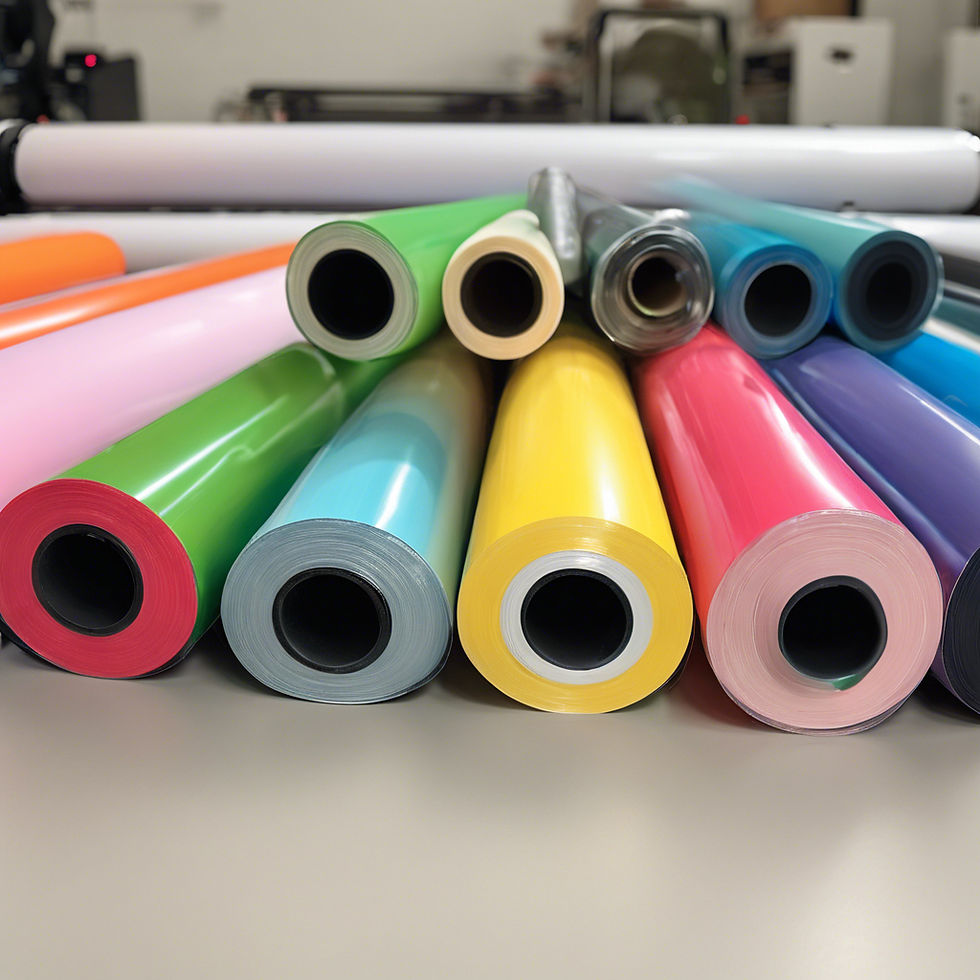
Materials: Depending on your project, you’ll need materials such as adhesive vinyl, iron-on vinyl, cardstock, or fabric. Cricut machines can cut a variety of materials, so the possibilities are endless.
Cutting Mat: The Cricut cutting mat holds your materials in place while the machine cuts. There are different mats for different materials, so choose the right one for your project.
Weeding Tools: These are used to remove the excess material from your design after it’s cut. They are especially useful for intricate designs.
Transfer Tape: This is used to transfer your vinyl designs to another surface, like a mug or a wall.
Setting Up Your Cricut
Setting up your Cricut is straightforward. Follow these steps to get started:
Unbox and Plug In: Unbox your Cricut machine and plug it into a power source. Connect it to your computer or mobile device using Bluetooth or a USB cable.
Download Cricut Design Space: Download and install Cricut Design Space on your computer or mobile device. Create a free account to get started.
Calibration: Depending on the model, your Cricut may need calibration. Follow the on-screen instructions in Design Space to ensure your machine is cutting accurately.
Test Cut: Before jumping into a big project, try a test cut using simple shapes like a heart or star to get familiar with how the machine works.
Starting Your First Project
Now that your Cricut is set up, it’s time for your first project. Here’s a simple step-by-step guide to creating a vinyl decal:
Choose Your Design: Open Cricut Design Space and choose a simple design from the library or create your own.
Cut Your Design: Load your vinyl onto the cutting mat, insert it into the machine, and click “Make It” in Design Space. Follow the prompts to adjust your settings and start cutting.
Weed the Design: Once the cut is complete, use your weeding tool to remove the excess vinyl, leaving just your design on the backing.
Apply Transfer Tape: Place transfer tape over your design and smooth it out with a scraper tool. Carefully peel the backing away, leaving the design on the transfer tape.
Apply Your Decal: Position the design on your desired surface, press it down, and slowly remove the transfer tape, leaving the vinyl design in place.
Tips for Success
Start Simple: Begin with easy projects to build your confidence before moving on to more complex designs.
Explore Tutorials: Cricut’s online community is vast, with countless tutorials available for beginners. These can be a great resource as you learn.
Experiment with Materials: Don’t be afraid to try different materials. Each material behaves differently, so experimenting will help you learn and discover new possibilities.
Practice Makes Perfect: Like any new skill, the more you use your Cricut, the better you'll get. Don’t get discouraged by mistakes; they’re part of the learning process.
Conclusion
Getting started with Cricut is an exciting journey into the world of crafting. With a little practice, you'll be creating beautiful, personalized projects in no time. Whether you're crafting for fun, gifting, or even starting a small business, your Cricut machine is a powerful tool that will unlock endless creative possibilities. So, unbox that Cricut, fire up Design Space, and start crafting magic today!
Additional Resources for Cricut Beginners
To help you on your crafting journey, here are some valuable resources that provide tutorials, tips, and inspiration:
Cricut Official Website
Cricut Learn: Offers a variety of online classes and tutorials to help you master your Cricut machine.
Cricut Blog: The official blog is packed with project ideas, tips, and updates on new products and features.
YouTube Channels
Jennifer Maker: Jennifer’s channel is full of beginner-friendly tutorials, DIY projects, and in-depth Cricut guides.
Cricut: The official Cricut YouTube channel offers tutorials, product demonstrations, and tips for using Design Space.
Online Communities
Cricut Facebook Groups: Joining a Facebook group like "Cricut Design Space" or "Cricut Beginners" can provide support, project inspiration, and troubleshooting help.
Reddit - r/cricut: A community where Cricut users share tips, projects, and advice.
Pinterest
Search for Cricut project ideas, tutorials, and free SVG files on Pinterest. It's a great platform for finding inspiration and saving ideas for future projects.
Craft Blogs
Hey, Let’s Make Stuff: This blog features numerous Cricut tutorials, free cut files, and project ideas for crafters of all levels.
The Country Chic Cottage: A go-to resource for Cricut tutorials and crafting projects, especially for home decor.
Books
"Cricut Project Ideas: A Beginner's Guide to Cricut" by Emily Maker: This book is a comprehensive guide for beginners, covering everything from machine setup to advanced projects.
"Cricut for Beginners: A Step-by-Step Guide to Learn How to Use Your Cricut Machine" by Jennifer Meeks: Another great resource for those just starting, this book walks you through various projects and techniques.
Free SVG Websites
LoveSVG: Offers a wide selection of free SVG files that are compatible with Cricut.
SVGcuts: Provides free and premium SVG files perfect for various Cricut projects.
These resources will equip you with the knowledge and inspiration you need to maximize your Cricut experience. Happy crafting!


Comments